

Sign-in, data, AI and payments
Your app can save data, let people sign in, take payments and more. You ask for it in the chat and GrowApps sets it up.
Ready in every app, no setup
- Save your app's dataBookings, customers and orders are kept safe in the cloud.Cloud Firestore
- Let people sign inYour users create an account with their email and a password.Firebase Authentication
- Photo and file uploadsPhotos and files your users add, up to 50 MB each.Cloud Storage
- AI featuresA chat helper, pictures made from a sentence, a voice that reads aloud.Gemini
What you can build with it
- Members area: people sign up, sign in and see only their own bookings, orders or notes.
- Live lists: a booking, an order or a message appears on every phone the moment it is saved.
- Photos and documents: customers upload a photo of a broken part, a CV or a receipt; you see it in your admin page.
- Work done when someone acts: work out a price, check a booking is still free, save a signed form.
- AI inside your app: a helper that answers customer questions, a picture made from a sentence, a menu read aloud.
All of this runs on Google Firebase, already set up for every app. Just ask, for example "let customers sign in and see their past bookings".
Connect your own account
- Take paymentsPeople pay by card through a Stripe payment link you connect.Stripe
- See what people do in your appWhich screens they open and where they stop.PostHog
- Count your visitorsHow many people come and from where.Google Analytics
- Measure your adsWhich ads bring people who sign up.Meta Pixel
- Send emailsSoonWelcome and receipt emails to your users.Resend
- Anything elseAsk in the chat and GrowApps tells you if it is possible.Ask in the chat
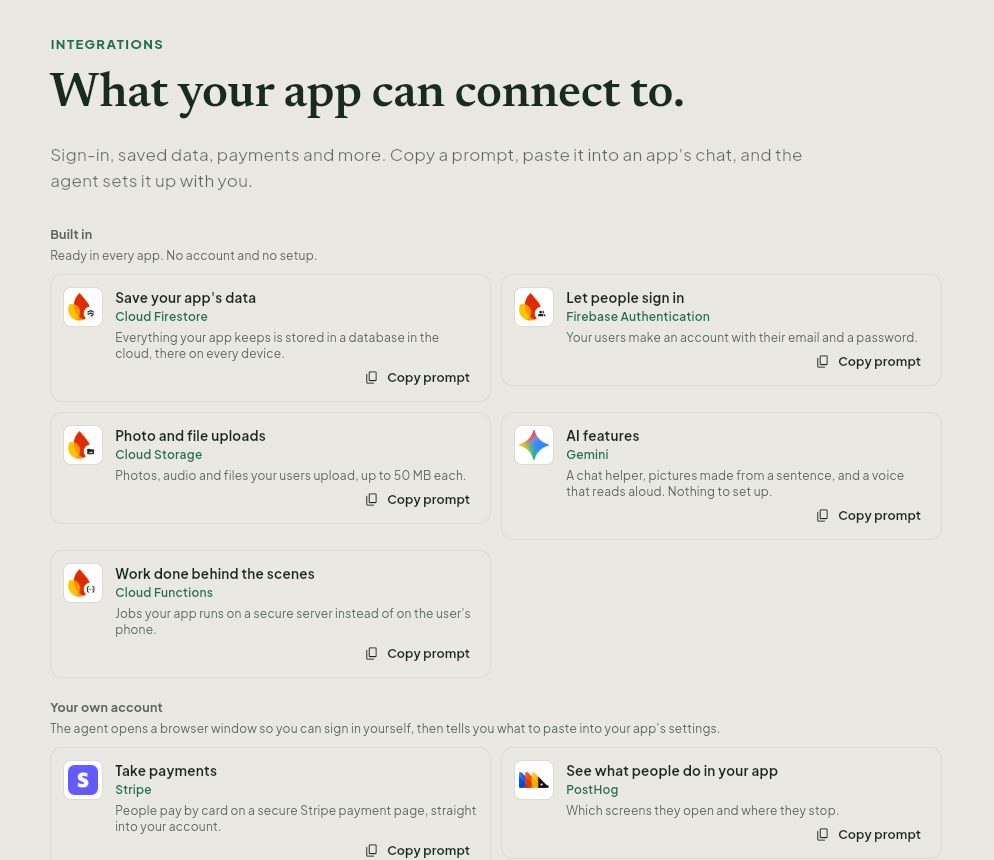
Your own account: for payments and analytics, GrowApps opens a browser window where you sign in yourself, then tells you exactly what to paste. It never asks for your passwords in the chat.
Screenshots taken from growapps.ai in October 2026. Something missing or out of date? Write to us from the contact page.